
By Jacob Kopp September 3, 2026
A mobile merchant may need ten technicians, delivery drivers, event employees, or field crews to take payments, but that does not mean ten people should know the owner password. Shared administrator logins make it difficult to determine who issued a refund, changed a setting, viewed sensitive reports, or altered the payment account.
A better approach is to design mobile POS user permissions around individual identities, defined job roles, limited privileges, assigned devices or locations, secure authentication, and attributable audit records.
Employees should receive enough access to sign in, accept legitimate payments, issue receipts, and complete their assigned work without automatically gaining authority over banking information, administrators, integrations, security settings, or unrestricted refunds.
The operating model is straightforward:
Define Roles → Create Individual Identities → Apply Least Privilege → Assign Device/Location → Require Secure Authentication → Restrict Sensitive Actions → Log Activity → Review Exceptions → Revoke Access Quickly → Periodically Re-Certify Permissions
The central principle is equally important: employees may share approved payment hardware when operationally necessary, but they should not share administrator identities. Sensitive payment activity should be attributable to a specific authorized user whenever the POS or payment platform supports individual accounts.
That distinction can dramatically improve mobile payment account security without making checkout unnecessarily difficult.
Why Sharing the Owner or Administrator Login Is a Bad Control
An owner account is usually designed for broad control over a merchant’s payment environment. Depending on the platform, it may reach user management, reports, locations, applications, integration settings, settlement information, security controls, or other administrative features.
Giving that identity to everyone who needs to accept a card payment creates far more access than the employee’s job requires.
The first problem is accountability. If eight workers perform transactions through one “Store Admin” or owner account, the POS may record the account name while providing little useful evidence about the individual who actually performed an action.
PCI DSS guidance reinforces this principle. The PCI Security Standards Council explains that shared or generic authentication credentials generally must be prevented except for specifically managed exceptional circumstances, because individual user identification helps ensure that actions can be attributed to a particular person. See the PCI DSS guidance on shared authentication credentials.
A refund log showing “Admin” is considerably less useful than one showing a named employee, device, location, timestamp, transaction, reason, and approving manager.
Password distribution creates another problem. An owner password may move from the owner to a supervisor, from the supervisor to an employee, and eventually into group chats, notes, saved browsers, or personal password managers.
When somebody leaves the company, simply disabling that individual’s employee record cannot protect a credential that is still shared throughout the organization.
The PCI Security Standards Council emphasizes individual accountability. Its current guidance states that shared or generic authentication credentials are generally to be prevented except in specifically managed exceptional circumstances, with the goal that actions remain attributable to an individual.
The Council’s current PCI DSS resources likewise organize access security around restricting privileges according to business need, identifying and authenticating users, and logging access to relevant systems.
The Federal Trade Commission similarly recommends restricting sensitive information to employees who need it and using separate user accounts rather than giving unrestricted access across a workforce.
For merchants exploring portable acceptance more broadly, this overview of mobile payment solutions provides background on how phones, tablets, and portable readers can support mobile checkout.
Individual Identity vs. Shared Device: Know What Is Actually Being Shared

“Shared POS” can describe two very different arrangements.
A shared company tablet may be perfectly workable when employees authenticate individually. A shared administrative account, by contrast, combines the identities and privileges of everyone who knows its credentials.
A controlled workflow looks like this:
Shared Company Tablet → Employee A Logs In → Employee A Performs Transactions → Employee A Logs Out → Employee B Logs In
A weak workflow looks like this:
Shared Company Tablet → Shared Store Admin Login → Every Employee Uses the Same Identity
The hardware is not the core problem in the second example. The loss of identity and accountability is.
Should Users Share Devices, Accounts, or Neither?
Employees generally should not share payment application or administrator accounts when the platform supports unique identities. Individual employee payment login credentials make it easier to attribute sales, refunds, voids, discounts, overrides, and other sensitive activities.
Sharing a company-owned device can be reasonable when operational needs justify it. Event workers, temporary checkout crews, restaurant servers, or counter employees may rotate through a controlled pool of tablets or readers.
The important controls are separate POS authentication, sensible session handling, device-level protection, and a check-in/check-out process.
Individually assigned devices can offer even stronger operational traceability for technicians, delivery drivers, or other field employees who retain hardware across shifts. The organization can map a particular worker to a phone or tablet, payment app identity, card reader, route, location, or crew.
A personal phone introduces another layer of risk. BYOD can work where the payment provider permits it and the company has an appropriate policy, but employers should distinguish application access from control over the employee’s entire personal device.
| Model | Accountability | Offboarding | Security Risk | Operational Fit |
| Shared device + individual accounts | Strong when sessions are distinct | Disable employee identity | Moderate and manageable | Events, counters, rotating crews |
| Individual device + individual account | Strong | Revoke account and recover/manage device | Generally lower with good controls | Technicians, drivers, field teams |
| Shared device + shared account | Weak | Difficult because credentials remain known | High | Generally avoid |
| Personal device + business account | Can be strong at app level | Revoke business account/session | Depends heavily on policy and platform | BYOD programs |
Device unlock credentials and payment-application credentials must also remain conceptually separate. Unlocking a phone with a PIN, face scan, or fingerprint does not necessarily authenticate an individual to the merchant’s POS account.
Likewise, a biometric used to unlock a device is not automatically equivalent to merchant-account MFA. Whether biometrics participate in the POS authentication process depends on the provider’s implementation.
Which User Roles Should Exist for Owners, Managers, Field Staff, and Finance?

There is no universal POS role structure that fits every platform or merchant. The right model begins with job responsibilities and then maps each job to the smallest practical collection of permissions.
That is the essence of POS least privilege.
A useful design starts with five role categories: owner/primary administrator, payment or POS administrator, manager/supervisor, frontline payment user, and finance/controller. A small merchant may combine some roles, while a larger operation may separate them further.
Owner or Primary Administrator
The owner or primary administrator generally retains the highest-risk business controls. Depending on the payment platform and organizational structure, those may include merchant-account administration, privileged user creation, security configuration, integration authorization, company-wide reporting, and control over particularly sensitive settings.
Settlement-bank information deserves especially strong restrictions. Merely being able to accept card payments does not create a legitimate need to change the destination of settlement deposits.
Where supported and operationally feasible, banking changes should receive stronger authentication, independent verification, and perhaps dual approval. The business should also make sure the action generates an audit record or alert.
Owner credentials should never be left inside a reader case, posted near a checkout station, stored in a shared spreadsheet, or distributed in a team chat. Use the organization’s approved credential-management system for privileged secrets.
Payment or POS Administrator
A payment administrator can take responsibility for payment app user management without necessarily receiving every financial privilege available to an owner.
Typical responsibilities might include:
- creating and disabling employee accounts;
- maintaining POS user roles;
- enrolling or assigning company devices;
- mapping users to locations;
- configuring approved operational payment settings;
- reviewing system and device status;
- administering payment terminal user accounts; and
- investigating access incidents.
This administrator still does not automatically need permission to change settlement accounts, access accounting systems, reveal API secrets, or make unrelated corporate changes.
Separating payment administration from bank-account authority is useful because each privilege solves a different business problem.
Manager or Supervisor
Managers typically need broader operational authority than field staff but much less authority than owners.
Possible POS manager permissions include:
- approving permitted refunds;
- authorizing selected voids;
- approving discounts or price overrides;
- helping employees resolve legitimate transaction exceptions;
- reviewing assigned-location transactions; and
- examining shift or exception reports.
A manager override should identify the actual manager whenever possible. If the platform supports individual manager authentication, a team-wide “manager PIN” undermines the benefit.
Managers also should not receive company-wide administrative privileges merely because they supervise one store, route, or event team.
Field Staff, Cashier, Technician, or Driver
Frontline employees usually need the narrowest permission set.
Their legitimate field staff payment access may consist of:
- authenticate to the payment application;
- create a sale or invoice;
- accept approved payment methods;
- send or print a receipt;
- view their own or assigned transactions when necessary; and
- perform explicitly authorized operational actions.
They usually do not need merchant banking configuration, administrator creation, API credentials, security settings, broad financial exports, or unrestricted refunds.
This makes a card reader employee login fundamentally different from an administrative merchant-account credential.
Finance or Controller
Finance employees may need detailed settlement, deposit, refund, fee, and chargeback visibility without requiring mobile POS administration.
That distinction helps preserve separation of duties. Finance can reconcile what happened without necessarily being able to create field users, change device assignments, or modify security settings.
An illustrative POS role matrix might look like this:
| Permission | Owner/Admin | Manager | Field Staff | Finance |
| Take payment | As needed | Yes | Yes | Usually no |
| View own transactions | Yes | Yes | Yes | As needed |
| Void transaction | Configurable | Often controlled | Limited or approval-based | Usually no |
| Issue refund | Yes/controlled | Controlled | Usually restricted | Depending on workflow |
| Change prices/discounts | Yes | Controlled | Limited | No |
| Add users | Yes | Usually no | No | No |
| Change bank account | Highly restricted | No | No | Selected authorized finance/owner users |
| Change merchant settings | Yes | Limited | No | Usually no |
| View settlements | Yes | Limited | No | Yes |
| Export reports | Yes | Limited | Usually no | Yes |
These are illustrative recommendations, not claims about features available in every POS.
Apply Mobile POS User Permissions Through Least Privilege
The safest default is not:
Create Employee → Copy Manager Role
It is:
Job Function → Required Actions → Approved Role → Location/Device Scope → Review
Least privilege means giving a user the minimum access required to perform assigned work. PCI DSS access-control principles emphasize restricting access according to business need, while the FTC similarly recommends need-to-know controls for sensitive systems and data.
This approach also aligns with FTC guidance on need-to-know access controls, which recommends limiting employees’ access to sensitive information according to legitimate business need and using separate user accounts where appropriate.
Which Permissions Should Be Blocked for Non-Admin Users?
For most frontline payment roles, organizations should carefully evaluate whether to block:
- creating or deleting users;
- granting administrator privileges;
- changing POS user roles;
- resetting another person’s privileged credentials;
- changing settlement-bank information;
- modifying merchant-account configuration;
- accessing gateway passwords;
- viewing API keys or webhook secrets;
- changing organization-wide payment settings;
- disabling authentication or other security controls;
- changing device-management settings;
- exporting broad customer or financial datasets;
- changing refund authorization policies;
- altering audit or security settings; and
- modifying company-wide catalogs, taxes, or tender configurations unless the job genuinely requires it.
The specific settings available depend on the product. Merchants should verify their provider’s current documentation instead of assuming a permission exists.
| High-Risk Permission | Main Risk | Who Should Normally Have It? |
| Change settlement bank | Redirected or incorrect funding | Designated owner/finance personnel |
| Add administrator | Privilege expansion | Owner or authorized administrator |
| Export broad payment reports | Excessive financial/customer exposure | Finance or approved managers |
| Issue refund | Unauthorized loss/customer impact | Controlled role or approval workflow |
| Change security settings | Weakening account protection | Security/payment administrator |
| View API credentials | Integration compromise | Authorized technical personnel |
| Remove device | Loss of operational control/evidence | Device/payment administrator |
Bank Settings and Technical Secrets Require Special Treatment
Settlement-bank controls should be among the most tightly restricted permissions. They are not ordinary checkout functions.
Where feasible, use MFA, an approval workflow, independent verification of requested changes, and notifications to controlled business contacts. Never depend solely on an email sent to one field worker’s personal address for a significant merchant-account change.
API keys, gateway credentials, webhook secrets, and integration passwords belong in approved technical secret-management systems. Field employees should not receive them to make a card reader “work.”
Similarly, support personnel should not need an owner’s everyday password. Use provider-approved support channels and auditable support-access mechanisms whenever available.
How to Assign Shared Mobile Hardware Safely
Mobile payment device management requires both technical controls and a physical inventory. A business should be able to answer who has a device, which payment identity should be using it, which reader is paired with it, and where the equipment is expected to be.
A useful mapping is:
Employee/User → Mobile Device → Payment Application → Card Reader → Location/Crew/MID
Not every system exposes every identifier, but documenting the elements that are available makes troubleshooting and incident response faster.
For additional background on portable hardware, this discussion of mobile payment devices and readers explains common mobile-payment use cases.
Device Assignment Register
Keep an asset register without storing passwords or authentication codes in it.
| Employee/Crew | Device Asset ID | Terminal/Reader ID | Location/Route | Role | Status |
| Technician 12 | MOB-014 | Reader R-204 | North route | Field staff | Assigned |
| Event Crew B | TAB-008 | Reader R-119 | Festival booth | Event staff | Checked out |
| Supervisor 3 | MOB-021 | Reader R-221 | Region East | Manager | Assigned |
For card readers, inventory serial numbers or other provider-supported identifiers, physical condition, assigned user or crew, and current status. Inspect payment hardware according to the provider’s guidance and your security procedures.
Company-Owned Devices, BYOD, and MDM
Company-owned devices normally give a merchant more control over configuration, software, inventories, and recovery. Reasonable controls can include screen locking, supported operating systems, approved applications, timely updates, and organizational device policies.
A mobile device management platform may additionally support device inventory, policy enforcement, application deployment, compliance reporting, remote lock, or removal of managed business data. Capabilities differ substantially by product, operating system, enrollment type, and licensing, so merchants should verify the exact platform rather than assuming remote wipe is available.
BYOD requires greater care. If an employee uses a personal phone for payment app security, the company should define supported operating-system versions, acceptable device locks, business-data separation, revocation procedures, privacy expectations, and what company administrators can and cannot control.
Do not assume an employer can or should erase an entire personal phone. Where supported, managed work profiles, application controls, or business-data removal may offer more proportionate choices.
CISA recommends prompt reporting of lost devices and emphasizes secure management of mobile devices.
Design Secure Authentication Without Confusing Device Security and POS Security
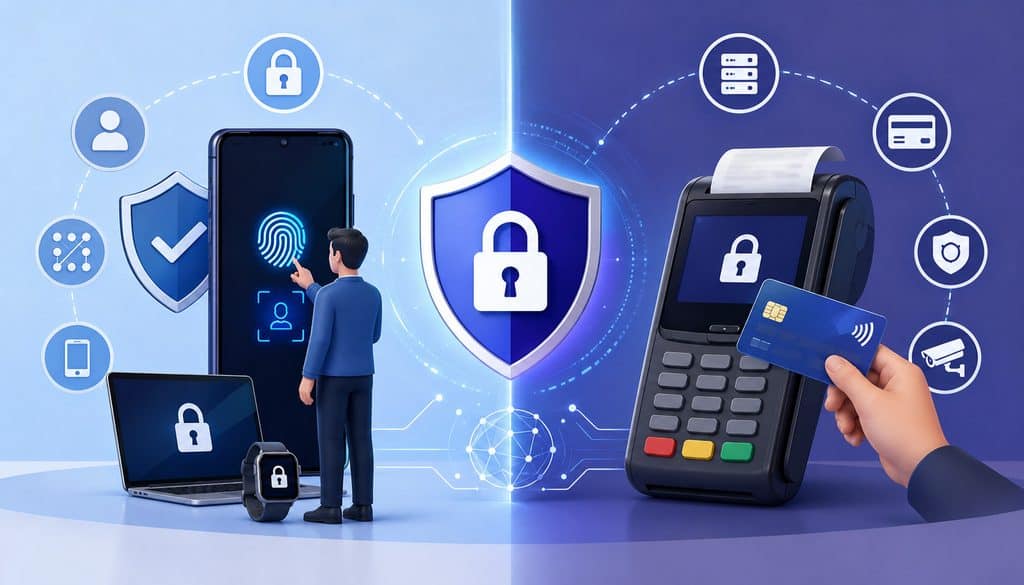
Mobile payment account security has several layers:
- mobile operating-system security;
- payment-application authentication;
- merchant-account authorization and permissions.
They complement one another but are not interchangeable.
A phone PIN or biometric can stop a casual user from opening a device. POS authentication determines which business user is operating the payment application. Merchant-account authorization determines what that user is allowed to do.
Unique Accounts, MFA, PINs, and Sessions
Each employee should generally receive a unique identity when the provider supports one.
Where the POS uses employee PINs, assign a separate PIN per employee rather than posting a shared manager code near the device. Do not write PINs on readers or device cases.
Privileged accounts should use strong authentication. NIST’s current Digital Identity Guidelines cover identity, authentication, and authenticator lifecycle management, while CISA recommends MFA wherever possible and prioritizing privileged or sensitive accounts.
Whether MFA is available for every POS workflow depends on the product. Do not invent an MFA requirement or method that a provider does not support.
Session settings likewise vary. Avoid choosing a universal timeout simply because another POS uses it. PCI SSC’s current guidance specifically notes that a particular PCI DSS idle reauthentication requirement is not intended to apply to POS terminal accounts that access only one card number at a time for a single transaction.
Mobile POS User Permissions Should Follow the Identity
For systems with individual identities, mobile POS user permissions should be assigned to the person or role—not effectively inherited because somebody knows an administrator password.
That improves payment application permissions across shared tablets, individual phones, and location changes.
Some commercial platforms provide granular team permissions. For example, Square’s current documentation describes permission sets that control what team members can see or do and can limit access by assigned location. That is an example of a provider-specific model rather than a universal POS standard.
Merchants should inspect their own provider’s official documentation for exact role names, available access points, location restrictions, refund capabilities, and account-management features.
Restrict Refunds, Voids, Discounts, and Manager Overrides
Refund and void permissions deserve more scrutiny than ordinary sale permissions because they can move or reverse value.
A void generally cancels or reverses a transaction before it reaches a later processing or settlement state, although exact terminology and timing depend on the provider. A refund returns funds from a captured or processed payment. They should not be treated as interchangeable operational actions.
Provider behavior can differ materially, which is why employees should use the payment application’s approved workflow rather than make assumptions about transaction state.
How Should Refunds and Voids Be Restricted?
A merchant can choose among several defensible refund models:
- refunds limited to managers;
- employee initiates, manager approves;
- employees may refund only transactions they originated;
- refunds must be linked to an original transaction;
- exceptions require additional approval; or
- only designated customer-service staff may perform them.
No universal dollar threshold is appropriate for every business. A $200 transaction means something very different to a home-service contractor, café, jeweler, or event vendor.
Set limits using average ticket, job duties, operational needs, fraud exposure, return policies, and the capabilities of the specific POS.
Where appropriate, refunds should follow the provider-approved original-payment workflow. Frontline workers should not arbitrarily redirect a card refund to cash or an unrelated payment card for convenience.
Square, for example, currently limits refund functionality according to account/team permissions and documents its own refund procedures. That is useful evidence that refund capability can be treated as a separate authorization rather than being automatically granted to everyone who accepts payments.
Reasons, Approvals, and Exception Review
Where the product supports reason codes, use controlled choices such as duplicate, return, cancellation, or service issue, along with meaningful notes when necessary.
A refund record might contain:
| Refund | Original Transaction | Employee | Approver | Reason | Amount | Status |
| RF-903 | TX-18211 | Employee 17 | Manager 4 | Duplicate | $— | Completed |
Void controls can similarly require:
- employee attribution;
- linkage to the affected transaction;
- manager authorization for defined situations;
- reason codes; and
- exception reporting.
Discounts, price overrides, no-sale drawer openings, cash payouts, and cash refunds should be evaluated separately. A cashier may legitimately need a limited promotional discount without needing unrestricted refund access.
Use Separation of Duties Without Making Small Teams Unworkable
Separation of duties reduces the chance that one person can initiate, approve, conceal, and reconcile the same sensitive activity.
A stronger process is:
Employee Performs Sale → Manager Approves Exception → Finance Reviews Exceptions
Larger organizations may formally separate POS administration, finance, operations, and information security. Smaller businesses may not have enough personnel to split every function.
When one person must perform multiple roles, compensating controls become more important. For example, the owner might issue refunds but have another authorized person review the weekly exception report, or a manager might approve refunds while finance independently reconciles them to settlement activity.
The key is not organizational complexity for its own sake. The goal is reducing unnecessary privilege and creating a second point of visibility around high-risk changes.
This also applies to multi-location structures:
Company → Region → Location/Crew → User → Device
A location manager may need visibility into their own store or crew without receiving company-wide administration. Cross-location access should have a documented reason rather than becoming the default.
Franchise environments deserve special care because a corporate brand’s desire for reporting visibility does not necessarily mean it owns or should administer every independently owned franchisee’s merchant account.
How to Onboard a New Mobile Payment Employee
A disciplined onboarding process prevents overprivileged accounts from becoming the default.
Use a repeatable workflow:
- Confirm the employee’s job and payment responsibilities.
- Create a unique user identity.
- Assign the least-privilege POS user role.
- Restrict the user to permitted locations or crews where supported.
- Assign a company device or approve a BYOD configuration.
- Configure appropriate authentication and MFA where supported.
- Train the employee on sales, receipts, refunds, voids, and incident reporting.
- Test the employee’s login.
- Test both permitted and deliberately blocked actions.
- Record device/reader assignments.
- Confirm that relevant activity is attributable in system logs.
The blocked-action test is particularly valuable. A role is not validated merely because the employee can process a sale. Administrators should also confirm that the person cannot perform prohibited high-risk tasks.
| New-Hire Control | Complete? |
| Individual account created | ☐ |
| Correct role assigned | ☐ |
| Location restricted where appropriate | ☐ |
| Device assigned/approved | ☐ |
| MFA/security configured where supported | ☐ |
| Refund rights reviewed | ☐ |
| Void rights reviewed | ☐ |
| Employee trained | ☐ |
| Audit logging verified | ☐ |
Temporary staff should receive temporary or event-specific identities where the system supports them, not permanent owner credentials.
Seasonal employees deserve the same discipline. Their access should be removed when their engagement ends rather than sitting dormant until the next season.
How to Remove a Lost Device or Terminated Employee Quickly
Fast revocation matters because mobile payment access often travels outside a controlled storefront. A phone can be left in a truck, stolen at an event, retained by an employee after termination, or remain logged into an application.
The organization therefore needs a revocation process that does not depend on the missing employee or device.
Lost Phone, Tablet, or Card Reader
Use this operational sequence:
Report Loss → Disable/Revoke User Session → Revoke Payment-App Access → Lock or Remove Managed Business Device Where Supported → Disable/Unpair Reader if Required → Review Recent Activity → Change Exposed Credentials if Needed → Document Incident
For a company-owned managed device, use the capabilities that actually exist in your MDM or device platform. These might include remote lock or business-data removal, but do not promise a specific function until it has been verified.
For a lost personal phone, revoke the business user’s application and account access immediately. Apply the organization’s BYOD controls instead of assuming the employer can erase the employee’s personal data.
For a missing payment reader, record the reader identifier, mark the asset missing, and follow the payment provider’s instructions regarding deactivation, replacement, or account action.
Terminated Employees and Role Changes
POS employee offboarding should align closely with termination or the effective role change.
A practical workflow is:
- Disable the employee’s individual account.
- Revoke or invalidate active sessions where the platform supports it.
- Recover company phones, tablets, and readers.
- Remove old location, route, or crew access.
- Remove manager or administrator privileges.
- Rotate any shared operational credentials the employee legitimately knew.
- Review recent sensitive actions.
- Update the device inventory.
- Document completion.
Waiting until the end of the week leaves an avoidable period of access.
Offboarding also applies when somebody remains employed but changes jobs. If a manager becomes field staff, remove manager permissions. If a technician moves from one region to another, remove the former location rather than simply adding the new one.
The FTC specifically recommends procedures to ensure departing or transferred workers no longer retain unnecessary access. (Federal Trade Commission)
| Event | First Action | System Owner | Verification |
| Lost device | Revoke relevant session/account access | POS/IT admin | Confirm device/user no longer active |
| Employee terminated | Disable user | POS/admin owner | Attempted access blocked |
| Credential compromise | Disable/reset affected identity | Security/POS admin | Logs reviewed and credentials replaced |
| Reader missing | Record and report reader | Operations/POS admin | Provider instructions completed |
| Role changed | Remove old permissions | User administrator | New role recertified |
What Payment Audit Trail Should Be Reviewed?
Auditability converts access control from a policy into evidence.
A useful employee payment audit trail should identify as many of these elements as the platform can provide:
- individual user;
- login or authentication activity;
- timestamp;
- location;
- device;
- sale;
- transaction amount;
- refund;
- void;
- discount;
- price override;
- manager approval;
- reason code;
- user creation;
- role or permission change;
- administrator grant;
- device enrollment or removal;
- relevant configuration changes;
- bank-setting changes; and
- failed authentication attempts.
PCI SSC explains the intent of PCI DSS logging as providing a record of who did what, where, when, and how so unexpected or unauthorized activity can be investigated.
That objective aligns directly with mobile POS access control.
Audit Logs Must Be Individually Attributable
A log saying “Manager” is inadequate if five people use the same manager login.
The desired relationship is:
Specific User → Specific Action → Specific Time → Specific Device/Location
An audit review record might look like this:
| Audit Event | User | Device | Location | Time | Approval/Reason |
| Refund | User 22 | TAB-011 | Event Booth 3 | Logged timestamp | Manager 5 / duplicate |
| Role change | Admin 2 | Admin portal | HQ | Logged timestamp | Approved access request |
| Device removal | Admin 4 | Admin portal | HQ | Logged timestamp | Lost device incident |
Review Exceptions, Not Just Transactions
Depending on size and risk, operational reviewers may examine:
- refunds;
- voids;
- no-sale events;
- price overrides;
- unusual discount activity;
- new administrators;
- permission changes;
- failed logins;
- device changes; and
- settlement/bank changes.
An exception is not evidence of misconduct.
A large refund may be a completely legitimate customer return. A high void count may reflect a faulty workflow, inexperienced employee, intermittent connection, or product-catalog problem.
Investigate using transaction context, receipts, customer issues, manager approvals, and system logs before drawing conclusions.
Employee-level normalization can make review more meaningful. Comparing refund count with transactions or sales provides more context than comparing raw counts between a full-time technician and somebody who processed five transactions.
Do not invent a universal suspicious threshold.
PCI DSS log-review frequency depends on the system and requirement involved; PCI SSC notes that certain other in-scope systems may use a frequency established through targeted risk analysis rather than a single universal schedule.
Protect Logs, Reports, and Customer Information
Logging loses value when employees can change or erase the evidence of their own activity.
Where possible, transaction users should not have permission to delete, disable, or materially alter relevant audit history. If a platform cannot provide adequate attribution or log protection, document that limitation and consider whether stronger provider capabilities or compensating controls are needed.
Frontline employees also rarely require unrestricted access to payment data.
They generally should not need:
- full primary account numbers;
- card verification values;
- PIN data;
- settlement-bank information;
- API secrets; or
- unrelated customer exports.
PCI DSS addresses protecting account data as well as access controls. Sensitive authentication data such as card verification codes must not be stored after authorization where prohibited by PCI DSS, even if encrypted.
Operational transaction lookup should use provider-approved masked identifiers or transaction references instead of unnecessarily exposing card data.
For merchants evaluating portable checkout systems, this article on running a business through mobile payment technology provides additional context on mobile transaction workflows.
Build Secure Device Check-In and End-of-Shift Procedures
Shared-hardware fleets need physical accountability as well as application security.
At events or busy mobile operations, a simple checkout register can establish responsibility for company equipment:
| Date/Shift | Employee | Device | Reader | Issued By | Returned? |
| Shift A | Event User 14 | TAB-004 | R-144 | Supervisor 2 | Yes |
| Shift B | Event User 18 | TAB-006 | R-151 | Supervisor 2 | Pending |
At the end of the shift, employees should:
- complete or properly hand off unresolved payment activity;
- log out of the payment application;
- return assigned company devices and readers;
- report loss, damage, or tampering concerns;
- identify unresolved payment states; and
- return equipment to its controlled storage process.
A transaction timeout should not result in repeated uncontrolled attempts simply because an employee wants to clear the line.
Use:
Unknown Payment State → Verify Transaction Status → Retry Only When the System Shows It Is Safe
Individual identities improve duplicate-charge investigations because the merchant can identify which employee initiated each attempt and from which device or location.
A refund requested after an employee leaves should be processed by a currently authorized user. There is no operational reason to reactivate a departed employee’s old identity merely because that user processed the original sale.
PCI DSS and Mobile Payment Employee Access
POS permissions are one part of payment security, not a substitute for the rest of PCI DSS.
The PCI Security Standards Council’s current PCI DSS resources group the standard around protecting account data, secure systems, strong access control, monitoring, testing, and security policies.
In access management specifically, Requirements 7 and 8 address limiting access and identifying/authenticating users, while Requirement 10 addresses logging and monitoring.
For a mobile merchant, those principles translate into practical questions:
- Does the employee actually need this privilege?
- Is activity attributable to an individual?
- Is authentication appropriate to the access level?
- Can departed employees be removed quickly?
- Is sensitive payment data minimized?
- Are administrative actions separately controlled?
- Can important security activity be reconstructed from logs?
Shared credentials weaken several of those objectives at once.
The PCI SSC has explicitly clarified that the purpose of strict identification and authentication requirements is to support individual accountability and effective per-user audit trails.
Mobile merchants should also remember that their exact PCI obligations depend on their payment architecture, systems, service providers, and validation requirements. Using a compliant terminal or app does not automatically make every surrounding merchant practice compliant.
Common Mobile POS Access-Control Mistakes
Most access failures are not caused by an exotic technical attack. They often begin with convenience.
Common mistakes include giving everyone the owner login, sharing one manager PIN, assigning every experienced employee the manager role, leaving former employees active, and treating a phone unlock code as adequate POS authentication.
Other recurring problems include:
- allowing field workers to change banking settings;
- distributing API credentials to troubleshoot devices;
- storing administrative credentials on tablets;
- failing to track readers;
- giving BYOD devices unrestricted business access;
- lacking a lost-device procedure;
- allowing generic event-worker accounts;
- ignoring audit logs;
- granting refunds without controlled approval;
- never reviewing permissions after job changes;
- giving location managers corporate-wide rights;
- retaining inactive accounts indefinitely; and
- providing support personnel with owner passwords.
Support impersonation is another concern. Employees should not provide passwords, MFA codes, recovery codes, or banking information merely because a caller claims to represent the processor.
Use known, provider-approved support channels.
Account recovery should likewise use the platform’s legitimate recovery mechanism. Recovery codes or emergency administrator credentials should remain in a controlled owner/admin credential system rather than circulating among field employees.
Periodically Re-Certify Employee Payment Access
Access should not remain unchanged forever simply because it was appropriate on an employee’s first day.
Run a periodic review based on:
Employee Still Active? → Correct Role? → Correct Location? → Correct Device? → Sensitive Permissions Still Needed?
The appropriate review cadence depends on workforce turnover, business risk, platform capabilities, regulatory obligations, and internal policy.
A simple access-review register may include:
| Employee | Role | Location | Refund Access | Admin Access | Still Required? |
| Employee A | Technician | North | No | No | Yes |
| Employee B | Supervisor | Events | Approval only | No | Yes |
| Employee C | Former manager | — | Disabled | Disabled | No |
Pay particular attention to dormant accounts, former contractors, temporary staff, cross-location permissions, and people who have accumulated multiple roles.
If a shared account is discovered, do not simply change its display name and continue sharing it. Plan a migration to individually attributable identities where the platform supports them.
Privileged accounts should also remain limited to genuinely necessary personnel. There is no universal maximum number of administrators, but every administrator should have a documented business reason.
Practical Mobile Payment Device Assignment Examples
Different businesses can apply the same access-control principles without using identical workflows.
Field-Service Company With 20 Technicians
Consider a service company with 20 technicians, three supervisors, finance staff, and an owner.
Each technician has a company-managed phone and portable card reader. Technicians receive individual payment application accounts limited to taking payments, sending receipts, and viewing their assigned transactions.
Supervisors use individual manager identities to approve defined refund or void exceptions. The owner and designated payment administrator control user management and sensitive merchant settings. Banking access remains restricted to designated owner/finance personnel.
Finance reviews transaction and refund exceptions during reconciliation without receiving authority to administer technicians’ mobile devices.
If Technician 14 loses a phone, the administrator disables that employee’s affected access or sessions, marks the asset lost, applies the company’s device-management response, reviews recent transactions, and replaces the hardware. The owner password never needs to be changed simply because every technician never knew it.
Event Vendor With Shared Tablets
An event merchant may maintain six tablets and six readers used by a rotating workforce.
Sharing hardware is operationally sensible. Sharing an administrator identity is not.
Workers check out a tablet and reader at the start of a shift and authenticate with their own employee identity. Standard event staff can create sales and issue receipts. Supervisors receive separate approval authority for exceptions.
At shift end, employees log out and return the hardware. The asset record associates each tablet and reader with the worker or shift that used it.
This model preserves speed while still producing an employee payment audit trail.
Delivery Team With Route-Based Equipment
A delivery operation may assign payment devices by route rather than permanently by employee.
The route tablet and reader can remain business assets while individual drivers authenticate separately.
The business then tracks:
Route → Driver → Shift → Device → Reader → Payment User
If one driver’s access is terminated, the business disables that driver’s identity without rendering the shared route hardware unusable for the next authorized employee.
Mobile POS User Permissions Checklist
Use this checklist when assessing a current deployment or configuring a new one:
| Control | Verified? |
| Unique employee accounts | ☐ |
| Owner/admin account restricted | ☐ |
| POS user roles documented | ☐ |
| Least privilege applied | ☐ |
| Location access restricted where supported | ☐ |
| Refund permissions defined | ☐ |
| POS void permissions defined | ☐ |
| Settlement-bank settings restricted | ☐ |
| API credentials restricted | ☐ |
| Shared-device policy documented | ☐ |
| MFA configured where appropriate/supported | ☐ |
| Device inventory maintained | ☐ |
| Reader inventory maintained | ☐ |
| Offboarding procedure tested | ☐ |
| Lost-device procedure ready | ☐ |
| Audit logging verified | ☐ |
| Exception reports reviewed | ☐ |
| Periodic access review scheduled | ☐ |
For every role, ask:
- Does this person need to take payments?
- Do they need transaction history?
- Do they need refunds?
- Do they need voids?
- Do they need discounts?
- Do they need reports?
- Do they need user management?
- Do they need bank settings?
- Do they need security settings?
When the business requirement is absent, the default answer should usually be No.
Questions to Ask a Mobile POS Provider Before Deployment
Access control is partly a product-selection issue. A merchant cannot configure a permission that the payment platform does not provide.
Ask prospective or existing providers:
- Can every employee receive an individual account or attributable identity?
- Which predefined roles are available?
- Can custom roles be created?
- Can users be limited by location, region, or crew?
- Can refunds require manager approval?
- Can a user be restricted to their own or assigned transactions?
- Are voids attributed to individual users?
- Are manager overrides individually attributable?
- Does the product support MFA, and for which account types?
- Can active sessions be revoked centrally?
- Can a lost device be removed from the merchant environment?
- How are lost readers handled or deactivated?
- Which device IDs appear in logs?
- Which authentication and transaction events are recorded?
- Can audit records be exported?
- Can administrators review login history?
- What happens when a user is disabled?
- Are personal devices supported?
- Does the application support managed-device or work-profile deployments?
- How does administrator account recovery work?
Operations should separately determine who provisions users, who approves refunds, who controls shared equipment, who handles emergency revocation, and who reviews exceptions.
Finance should identify who needs settlement reports, who may issue refunds, who reviews refund/void exceptions, who can change funding information, and which records must be retained.
Frequently Asked Questions
What Are Mobile POS User Permissions?
Mobile POS user permissions determine what an individual employee can see and do within a mobile payment application, POS system, or related dashboard. They may control actions such as creating sales, issuing refunds, viewing reports, managing users, changing settings, or accessing specific locations.
Good permissions follow least privilege: employees receive only the capabilities required for their jobs. The exact roles and controls vary by provider, so merchants should verify current documentation before designing their permission model.
Should Employees Share a POS Administrator Login?
Generally, no. A shared administrator login weakens individual accountability, complicates termination, spreads privileged credentials, and may make audit records less useful.
When a payment system supports separate user identities, employees should use their own accounts or attributable authentication. PCI SSC guidance emphasizes individual accountability and tightly controlled treatment of shared authentication credentials.
Can Employees Share a Mobile POS Device?
Yes, sharing company-owned payment hardware can be operationally reasonable.
The safer model is shared device + individual user identity. Each worker should authenticate separately, and the company should maintain device security, appropriate session controls, asset check-in/check-out records, and relevant audit logging. Sharing a tablet does not require sharing an owner password.
Should Every Employee Have a Separate POS Account?
When the payment platform supports individual employee accounts, separate identities are generally preferable because they improve attribution, access revocation, role management, and auditability.
For products that use attributable employee PINs rather than full usernames, the same principle applies: each employee should generally receive a unique credential rather than a team-wide code.
What Permissions Should a Cashier or Field Technician Have?
Most field workers need only enough access to authenticate, create a legitimate sale, accept approved payment methods, issue receipts, and perhaps view their own or assigned transactions.
Refunds, voids, discounts, and transaction-history access should be granted only when the job requires them. Frontline employees normally do not need user administration, bank configuration, API credentials, security controls, or organization-wide financial exports.
What Permissions Should Remain With an Owner or Administrator?
High-risk permissions typically include creating privileged users, changing security configuration, adjusting organization-wide settings, administering integrations, and controlling sensitive merchant-account functions.
Settlement-bank changes deserve particularly narrow access. The exact allocation will depend on organizational responsibilities and provider capabilities, but accepting payments alone is not a reason to receive administrative authority.
Should Employees Be Allowed to Issue Refunds?
Only when legitimate duties require it.
Merchants can use manager-only refunds, employee-initiation plus manager approval, original-transaction restrictions, role limits, or other provider-supported controls. There is no universal safe dollar threshold.
Refunds should be logged, linked to the relevant transaction where possible, and reviewed as exceptions according to business risk.
How Should POS Voids Be Restricted?
Treat voids as a separate permission from ordinary sales. Consider individual attribution, transaction linkage, appropriate reason documentation, manager approval for defined circumstances, and exception review.
Because payment providers use transaction-state terminology differently, merchants should follow their provider’s documented void and refund workflows rather than assuming all systems behave identically.
Is a Shared Manager PIN Safe?
A shared manager PIN weakens accountability because the audit trail may identify the manager role without identifying the actual approver.
If the POS supports individual manager authentication, give each manager a unique credential. An override should ideally identify both the employee performing the underlying action and the manager authorizing the exception.
How Should a Lost Payment Phone or Tablet Be Disabled?
Immediately revoke the affected business user or session, follow the organization’s device-management procedure, mark the asset lost, address any paired reader as appropriate, and review recent payment activity.
For personal phones, revoke business access rather than assuming the company has authority or technical capability to wipe the entire device.
What Happens to POS Access When an Employee Is Terminated?
Disable the employee’s identity at or immediately aligned with the effective termination, revoke active sessions where supported, recover company hardware, remove location and privileged access, update inventory, and review recent sensitive activity. Do not leave the account active merely because deleting it can be handled later.
Can Mobile POS Be Used on an Employee’s Personal Phone?
Possibly, if the payment provider supports it and the merchant has an appropriate BYOD policy.
The business should evaluate supported operating systems, device locks, application security, business-data separation, revocation, privacy, and any MDM/work-profile capabilities. Personal-device use should not give field employees broader merchant-account permissions.
What Should a Payment Audit Trail Contain?
Where available, the record should identify the specific user, action, timestamp, transaction, amount, device or location, and relevant approval or reason.
High-value audit events include refunds, voids, discounts, permission changes, administrator creation, security changes, and device enrollment/removal. The objective is to reconstruct who performed what action, when, and from where.
How Often Should Employee POS Permissions Be Reviewed?
Use a recurring schedule based on business risk, workforce turnover, internal policy, regulatory obligations, and platform capabilities.
Also perform access reviews immediately when roles change, locations change, contractors finish, or temporary staff leave. Periodic certification should verify that the employee remains active and still needs each sensitive permission.
How Can a Business Manage Dozens of Mobile Payment Devices Securely?
Combine individual payment identities with standardized roles, a device and reader inventory, location restrictions, secure authentication, centralized revocation, controlled refunds, audit logging, and repeatable onboarding/offboarding procedures.
A structured mobile payment device management program should let the business connect each user to the appropriate device, reader, location, and authority without distributing owner credentials.
Conclusion
Giving a workforce mobile payment access does not require giving the workforce administrative control.
The safest operational model separates identity, hardware, and privilege. Employees may share company tablets or card readers when necessary, but each worker should use an attributable identity wherever the platform supports it.
Mobile POS user permissions should then limit that identity to the payments, locations, reports, refunds, voids, or operational functions genuinely required by the person’s job.
Owners and designated administrators should retain sensitive user, security, integration, and merchant-account controls. Banking changes and technical secrets deserve particularly narrow access. Managers can approve defined exceptions without becoming universal administrators, while finance can reconcile payments without necessarily administering devices.
A mature program follows a repeatable cycle:
Define Roles → Create Individual Identities → Apply Least Privilege → Assign Device/Location → Secure Authentication → Restrict Sensitive Actions → Log Activity → Review Exceptions → Revoke Access Quickly → Re-Certify Permissions
The result is more than better password hygiene. It creates accountable mobile payment employee access, faster offboarding, stronger refund and void controls, clearer incident investigations, and a more defensible payment-security environment.
Before implementation, merchants should verify their POS provider’s current role capabilities, authentication options, audit features, device-management tools, and PCI-related responsibilities. They should also review applicable employment, privacy, device-management, and record-retention requirements with qualified advisers where necessary.